DOI configuration
This page describes how an administrator configures the catalogue to create Digital Object Identifiers (DOI) for metadata records. See Digital Object Identifier (DOI) in the user guide for how to request and create a DOI for a record.
Settings
In Admin console → Settings → Publication:
- Enable DOI publication Enables the creation of DOI for metadata records.
- Notify DOI task owner Sends a mail notification to the DOI task owner when a metadata DOI is published. It requires the mail server to be configured (see Feedback).
DOI servers
The catalogue supports DOI creation using:
- DataCite API.
- EU publication office API https://ra.publications.europa.eu/servlet/ws/doidata?api=medra.org
Configure the DOI API access point to publish the metadata in the Admin console --> Settings --> DOI servers:
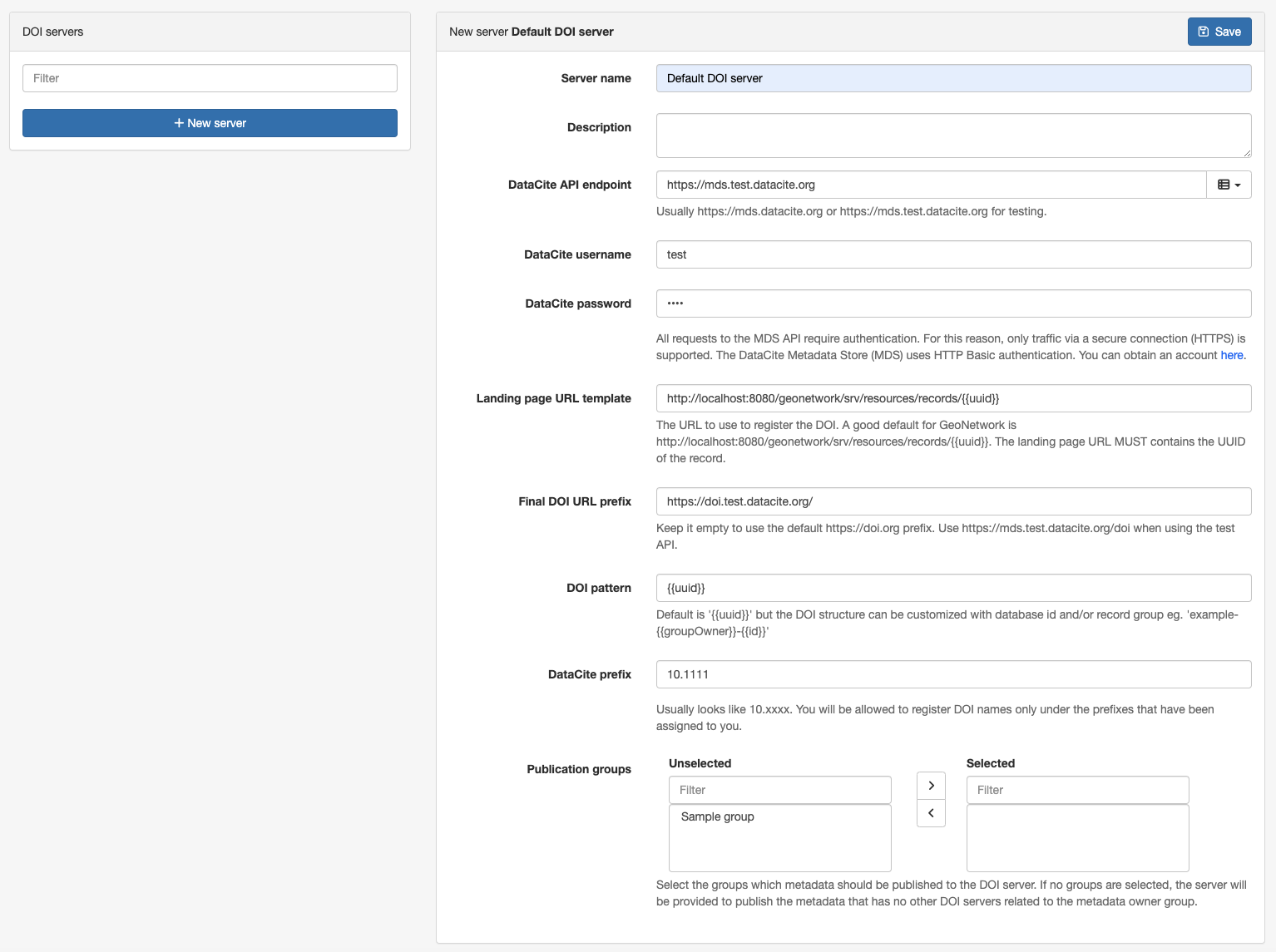
Provide the following information:
Name: A descriptive name for the server.Description: (Optional) A verbose description of the server.DataCite API endpoint: The API url, usually https://mds.datacite.org or https://mds.test.datacite.org for testing.DataCite username/DataCite password: Credentials required to publish the DOI resources.Landing page URL template: The URL to use to register the DOI. A good default for GeoNetwork is http://localhost:8080/geonetwork/srv/resources/records/{{uuid}}. The landing page URL MUST contains the UUID of the record.Final DOI URL prefix: (Optional) Keep it empty to use the default https://doi.org prefix. Use https://mds.test.datacite.org/doi when using the test API.DOI pattern: Default is{{uuid}}but the DOI structure can be customized with database id and/or record group eg.example-{{groupOwner}}-{{id}}.DataCite prefix: Usually looks like10.xxxx. You will be allowed to register DOI names only under the prefixes that have been assigned to you.Record groups: (Optional) When creating a DOI, only DOI server(s) associated with the selected record group(s) will be suggested in the editor. If a record belongs to a group that is not matched against any DOI server, only DOI servers without associated groups will be suggested.
A record can be downloaded using the DataCite format from the API using: http://localhost:8080/geonetwork/srv/api/records/da165110-88fd-11da-a88f-000d939bc5d8/formatters/datacite?output=xml
Customizing the DataCite mapping
The mapping between the metadata standards and the DataCite format (see the mapping table) can be customized in:
- ISO19139
schemas/iso19139/src/main/plugin/iso19139/formatter/datacite/view.xsl - ISO19115-3.2018
schemas/iso19115-3.2018/src/main/plugin/iso19115-3.2018/formatter/datacite/view.xsl