Digital Object Identifier (DOI)
The catalogue supports the creation of Digital Object Identifiers (DOI) for metadata records, using the DataCite API or the EU publication office API.
The DOI servers must first be configured by an administrator. See DOI configuration.
Creating the DOI
Once the DOI servers are configured, DOI can be created using the interface. DOI is created on demand. It means that a user must ask for creation of a DOI. It can be created by:
- The user who created the metadata.
- A user with Reviewer profile in the metadata group owner.
- A user with Administrator profile.
When created, the task is notified by email to the reviewer of the group (by default, can be configured for administrator only using the notification level of the task).
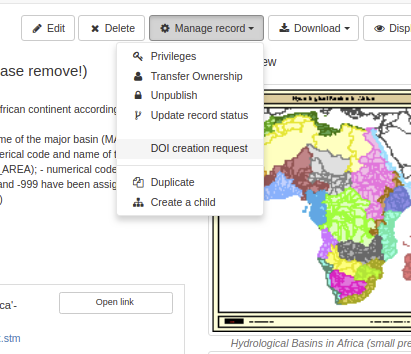
The task is assigned to a specific user. An optional due date and comment can be defined:
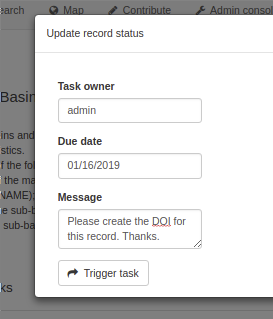
After submission of the task, the task owner is notified by email. Please note that this requires a working mail server configuration (see Feedback). The task can then be resolved in Admin Console → Statistics and status → Versioning.
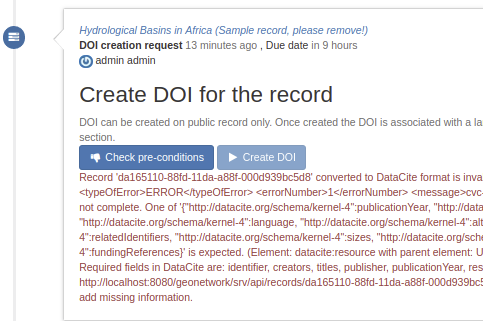
If the configuration is missing or wrong, the error is reported:

For DOI creation, the task is a 2 steps actions:
- First check if all prerequisite are covered (below the record is not valid in DataCite format).
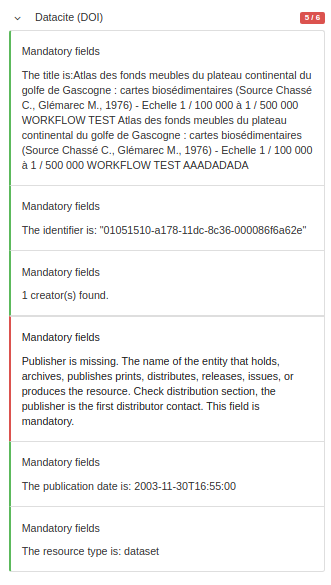
The DataCite format requires some mandatory fields:
- Identifier (with mandatory type sub-property)
- Creator (with optional given name, family name, name identifier and affiliation sub-properties)
- Title (with optional type sub-properties)
- Publisher
- PublicationYear
- ResourceType (with mandatory general type description subproperty)
The mapping with ISO standards is the following:
| Property | ISO 19139 | ISO 19115-3 |
|---|---|---|
| Identifier | gmd:MD_Metadata/gmd:fileIdentifier/*/text() |
mdb:MD_Metadata/mdb:metadataIdentifier/*/mcc:code/*/text() |
| Creator | gmd:identificationInfo/*/gmd:pointOfContact with role 'pointOfContact' or 'custodian' |
mdb:identificationInfo/*/mri:pointOfContact with role 'pointOfContact' or 'custodian' |
| Title | gmd:identificationInfo/*/gmd:citation/*/gmd:title |
mdb:identificationInfo/*/mri:citation/*/cit:title |
| Publisher | gmd:distributorContact[1]/*/gmd:organisationName/gco:CharacterString |
mrd:distributorContact[1]/*/cit:party/*/cit:organisationName/gco:CharacterString |
| PublicationYear | gmd:identificationInfo/*/gmd:citation/*/gmd:date/*[gmd:dateType/*/@codeListValue = 'publication' |
mdb:identificationInfo/*/mri:citation/*/cit:date/*[cit:dateType/*/@codeListValue = 'publication' |
| ResourceType | gmd:hierarchyLevel/*/@codeListValue | mdb:metadataScope/*/mdb:resourceScope/*/@codeListValue |
The mapping can be customized by an administrator (see Customizing the DataCite mapping).
See the DataCite Metadata Kernel documentation for more details on the format.
DataCite API returns an XSD validation error.
The catalogue also allow to apply DataCite validation in the editor:
A DOI may already be assigned for a record:
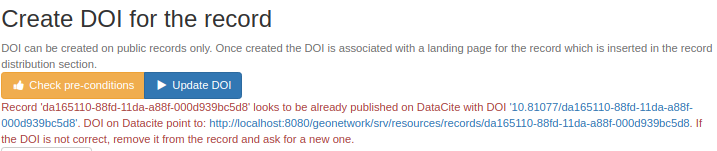
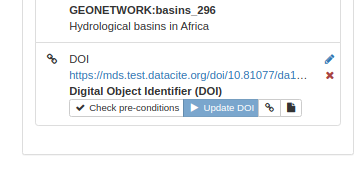
In such case the DOI can be updated. If the DOI is already assigned in a metadata record, editors can also update the DOI from the editor:
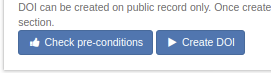
After validation, create the DOI
Once created, a link to the DOI and to the DataCite document is available:

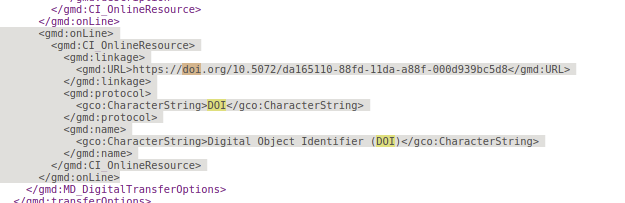
The DOI is then added to the metadata record:
DOI API
The REST API allows to access the DOI related operations:

The check preconditions API returns exception if one of the pre requisite is not met:
- DataCite API is not configured
- Record is not public
- Record already has a DOI
- Record is not valid for DataCite (ie. XSD errors returned by DataCite XSD validation)
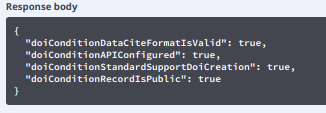
When a DOI is created, the response return the following details:

The DOI is added to the metadata record using the following encoding: